Happy Glass
Doodle Jump
Brainrot Puzzle
Connect Puzzle
Draw Pixel Art
Who Is 2 Brain Puzzle Chats
Stickers Merge

Wheat Clicker
Nuts And Bolts Screwing Puzzle

Merge Penguins
Minesweeper
Bloxorz
Wacky Doodle Fixes Unblocked — Play Free Online
Puzzle & BrainWacky Doodle Fixes unblocked: play Wacky Doodle Fixes online free right here in your browser — no download, no sign-up, works on a school Chromebook.
Play Wacky Doodle Fixes free online in your browser. Solve clever drawing puzzles by sketching missing lines and parts to complete each playful doodle.
Wacky Doodle Fixes is a lighthearted drawing puzzle game that tests your observation and creative problem-solving. Each stage presents an incomplete cartoon scene where something is missing or broken. Your objective is simple: look at the illustration, figure out what detail is needed to make the situation whole or rescue the character, and sketch the solution directly onto the canvas.
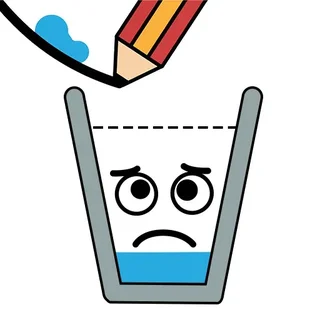
Fans of drawing-based physics and logic games like Happy Glass will feel right at home with the freeform sketching mechanics. While Happy Glass challenges you to direct flowing liquid with precision lines, Wacky Doodle Fixes focuses on situational humor and deduction. Every level is a quick visual riddle where a single stroke can turn an awkward mishap into a goofy victory.
How to play
Wacky Doodle Fixes requires only intuitive mouse or touch controls to play:
- Draw: Click and drag your mouse cursor or trace your finger across the touchscreen to draw missing elements, bridges, tools, or repairs.
- Undo: Tap the undo button next to the drawing area if you want to remove your last stroke without resetting the entire stage.
- Clear: Use the clear button to wipe the board clean and try a completely fresh approach.
Once you finish a line, the game evaluates your sketch. If the shape covers the missing element and satisfies the prompt, the scene animates and advances you to the next puzzle.
Tips for solving tricky doodles
- Examine the context clues: Look at character expressions and surroundings before drawing. An angry sun might need a cloud, or an unbalanced object might need a support beam.
- Keep strokes smooth and continuous: Sketching in single confident lines often registers more cleanly with the shape detector than messy scribbles.
- Use undo instead of clearing: When you have the right general idea but misjudged the angle or scale, undoing the last line saves time compared to redrawing from scratch.
- Think about practical function: The game looks for key contact points and recognizable outlines. Make sure your lines clearly connect the intended targets.
Similar games on Happy Glass
If you enjoy drawing lines to solve puzzles, there are several related titles to explore across the site. Happy Glass delivers classic physics puzzles where ink guides water streams into a smiling cup. One Line Draw offers a more geometric challenge where you must trace complex patterns in a single unbroken motion. For players who prefer pure spatial logic, Mosaic Puzzle Art and Odd Bot Out provide rewarding problem-solving without time pressure.
Wacky Doodle Fixes runs directly in modern web browsers on desktop computers, tablets, and mobile phones. Sessions are fast and self-contained, making it ideal for a quick mental break or a relaxing puzzle session on any device.
Questions about Wacky Doodle Fixes
Is Wacky Doodle Fixes unblocked at school?
Wacky Doodle Fixes runs in an ordinary browser tab from happyglass.me, with nothing to download or install, so it plays on most school Chromebooks and work computers. If a network filter blocks the site, only that network's administrator can change it.
How do you control Wacky Doodle Fixes?
Use your mouse cursor to click and drag, or trace directly with your finger on a touchscreen to sketch lines. You can undo mistakes or clear the canvas using the on-screen buttons beside the drawing area.
Can you play Wacky Doodle Fixes on mobile devices?
Yes, Wacky Doodle Fixes runs in modern web browsers on mobile phones, tablets, and desktop computers with no downloads or installation required.
What should you do if your drawing is not recognized?
Check the surrounding scene to ensure you are fixing the right missing object, then use the undo button to redraw the shape with a single, clear stroke that covers the target area.